Walkthrough
A short tour of the SPA’s surface.
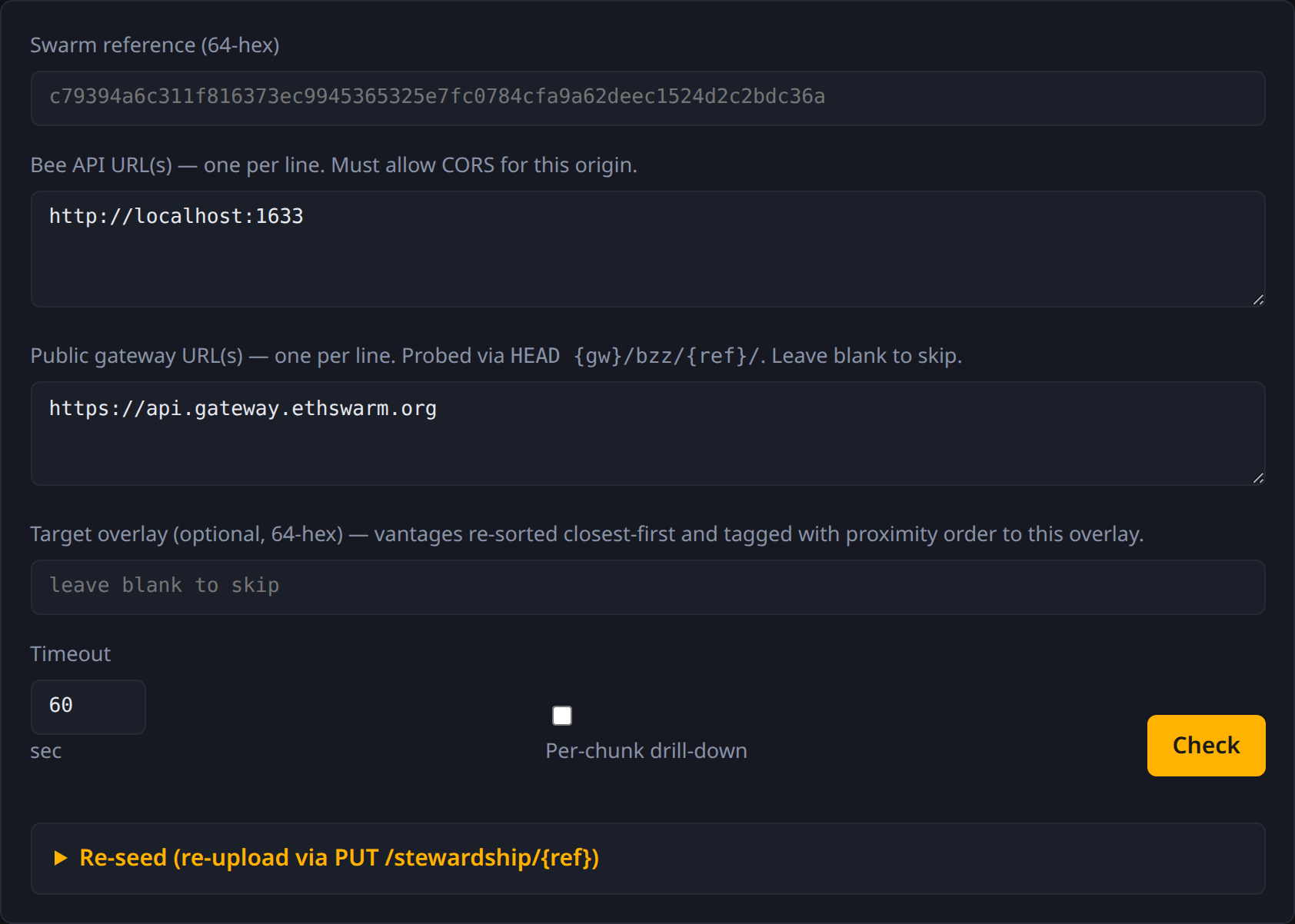
The form
- Swarm reference — 64-hex address, or
feed:OWNER:TOPICfor a feed. - Bee API URL(s) — one per line. Each becomes a vantage.
- Public gateway URL(s) — one per line. Each becomes a gateway probe. Leave blank to skip.
- Target overlay — optional 64-hex. When set, vantages re-sort
closest-first and gain a
target_proximitybadge. - Timeout — per-request cap in seconds.
- Per-chunk drill-down — checkbox. When on, after the basic probe the page walks the manifest and probes every chunk.
- Cold download — checkbox. When on, the page also streams
GET /bytes/{ref}from each Bee URL andGET /bzz/{ref}/from each gateway, recording total bytes and elapsed time. - Check button — runs the probe. While drilling, the button
shows live progress (
Probing chunks N/M…).
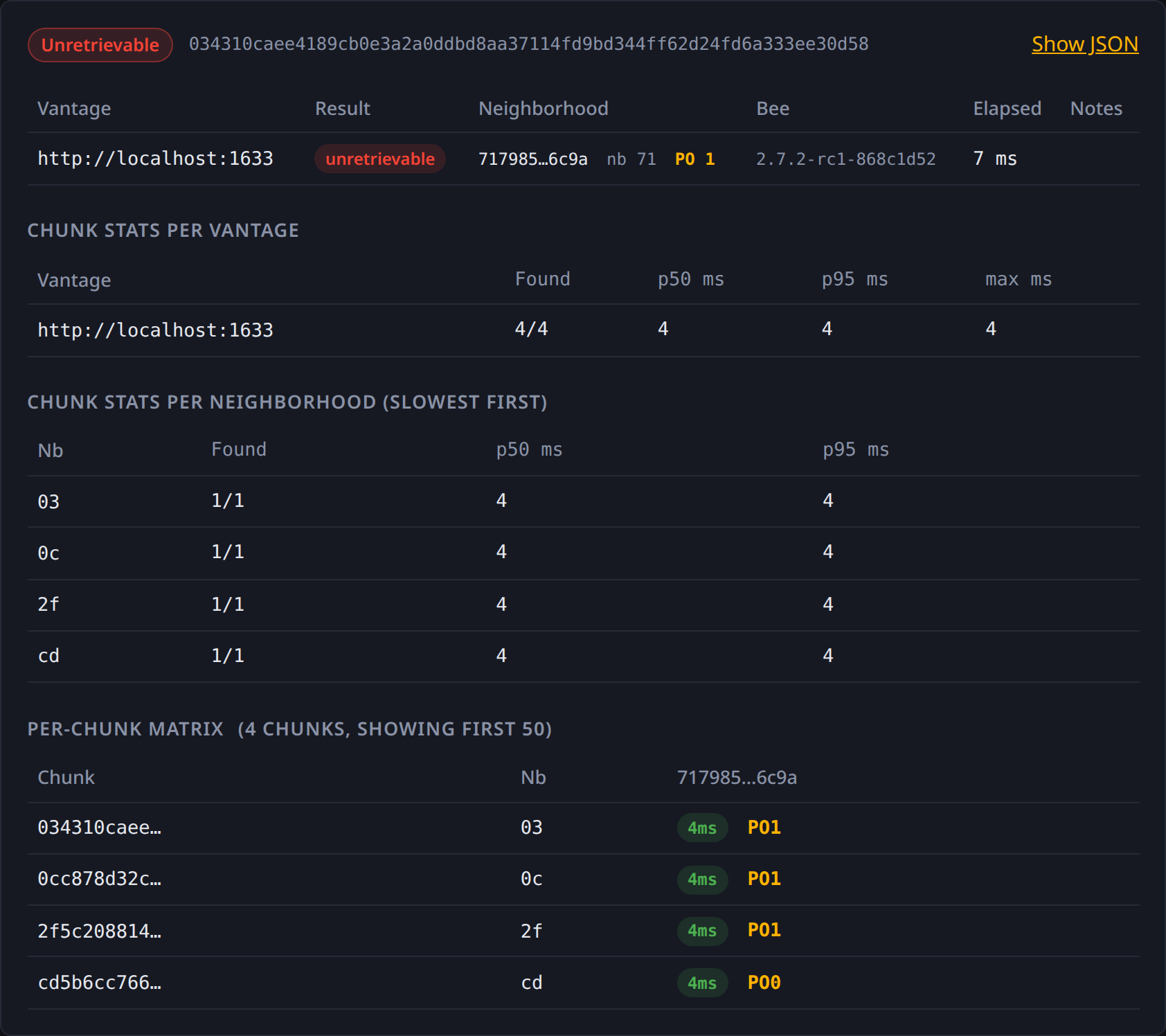
The report

Renders top-to-bottom:
- Status pill + reference at the top.
- Vantages table — one row per Bee URL with: result pill, neighborhood/overlay + PO, Bee version, elapsed_ms, notes.
- Gateways table — if any gateway URLs were given.
- Chunk stats per vantage — if
--per-chunkwas enabled. Rows: vantage → found/total + p50/p95/max latency. - Chunk stats per neighborhood (slowest first) — same shape, keyed on chunk neighborhood. Top-10.
- Per-chunk matrix — first 50 chunks × all vantages, with per-cell elapsed_ms + PO badges (× pill on miss).
- Resolution — present when input was a feed handle.
- Show JSON — toggle to expand the full report as raw JSON for copy/paste.
A --per-chunk run rendered:
The re-seed panel
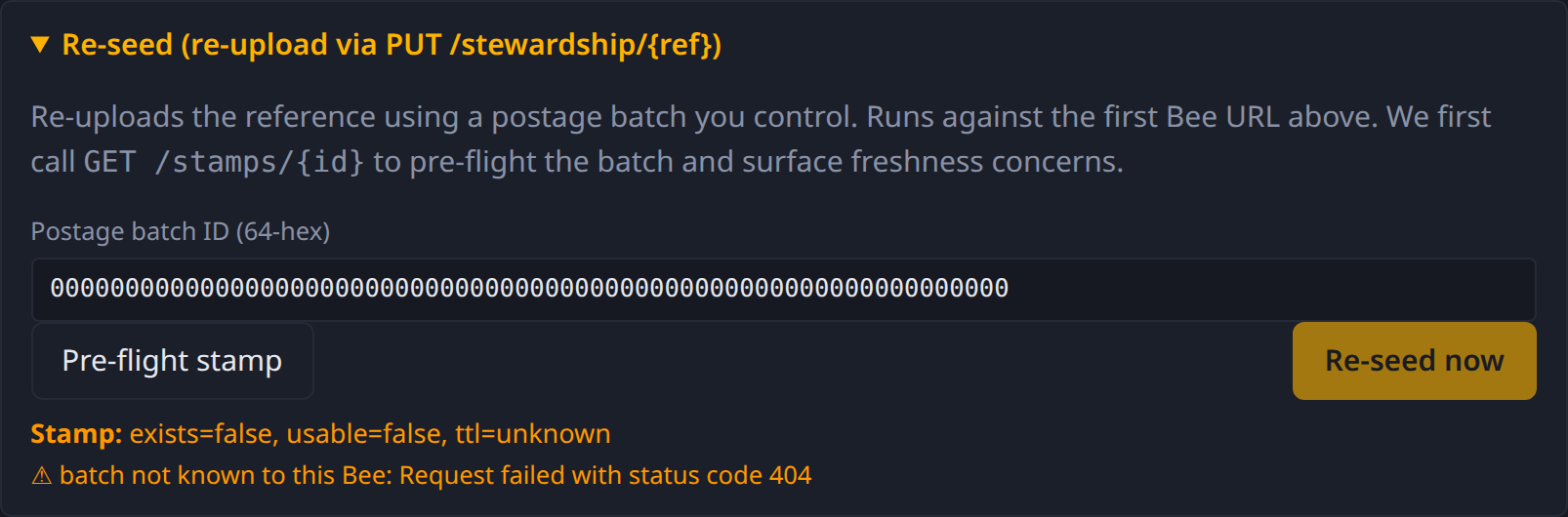
Collapsed by default. Expand it to reveal:
- Postage batch ID — 64-hex.
- Pre-flight stamp button — calls
GET /stamps/{id}, reportsexists / usable / TTLand any warnings. - Re-seed now button — only enabled after pre-flight reports
healthy. Fires
PUT /stewardship/{ref}against the first Bee URL.
Drag-and-drop a report
Drop any bee-check --output json file anywhere on the page (or
any report file the SPA itself produced) and it’ll render in place
of running a fresh probe. Useful for sharing diagnostics: a teammate
runs the CLI, attaches the JSON in a message, you drop it on the
page.